A look inside HeartRay
Share a little of your day with your closest people.
HeartRay is a private app for sharing heart-rate readings, location and messages with approved friends on iPhone and Android. A heart-rate reading, a note that you made it home, and a letter to someone you miss all have a place in your circle.
iPhone and Android, in the same circle.
You and your friends can use different phone platforms. A smartwatch is optional: approved friends receive the information you choose to share in the HeartRay phone app.
| Phone | Health-reading source | Optional watch companion |
|---|---|---|
| iPhone | Apple Health, with your read permissions and available measurements. | Apple Watch reads existing heart-rate measurements and sends them to its paired iPhone. |
| Android | Health Connect, with your read permissions and available measurements. | A compatible Wear OS watch shares heart-rate readings during a session you start and stop. |
Health readings depend on the measurements available in your chosen source. Your phone controls the account and sharing permissions; a friend does not need a watch to view the readings you share.
01 · Invite someone
Start with one person.
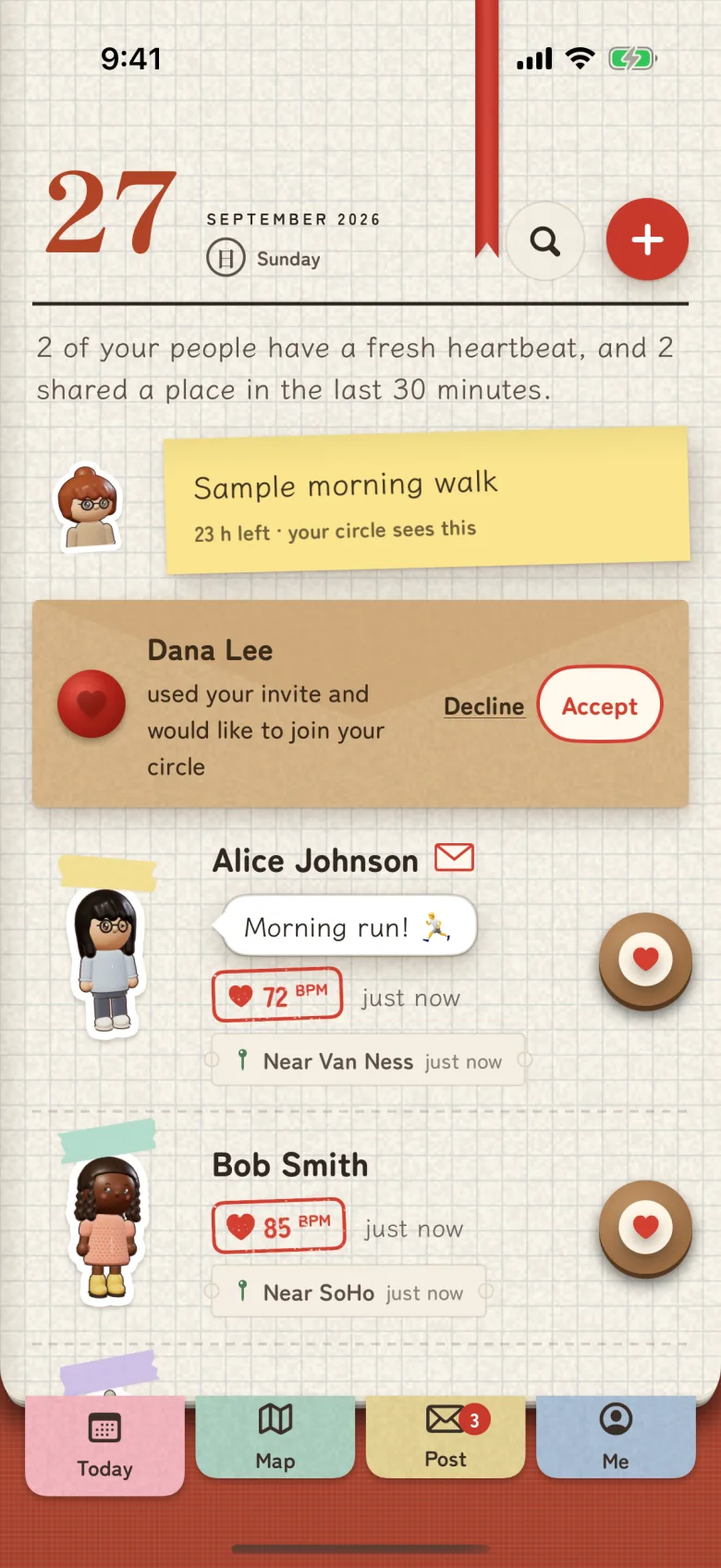
Open Today and share your one-time invite code. The other person sends a request, and you accept it. Your circle grows through those invitations; people cannot search a public directory for your profile.
Today gives each friend a place on your day page. Open their page to see the readings and updates they have chosen to share.
02 · Set your sharing
Choose what each friend sees.
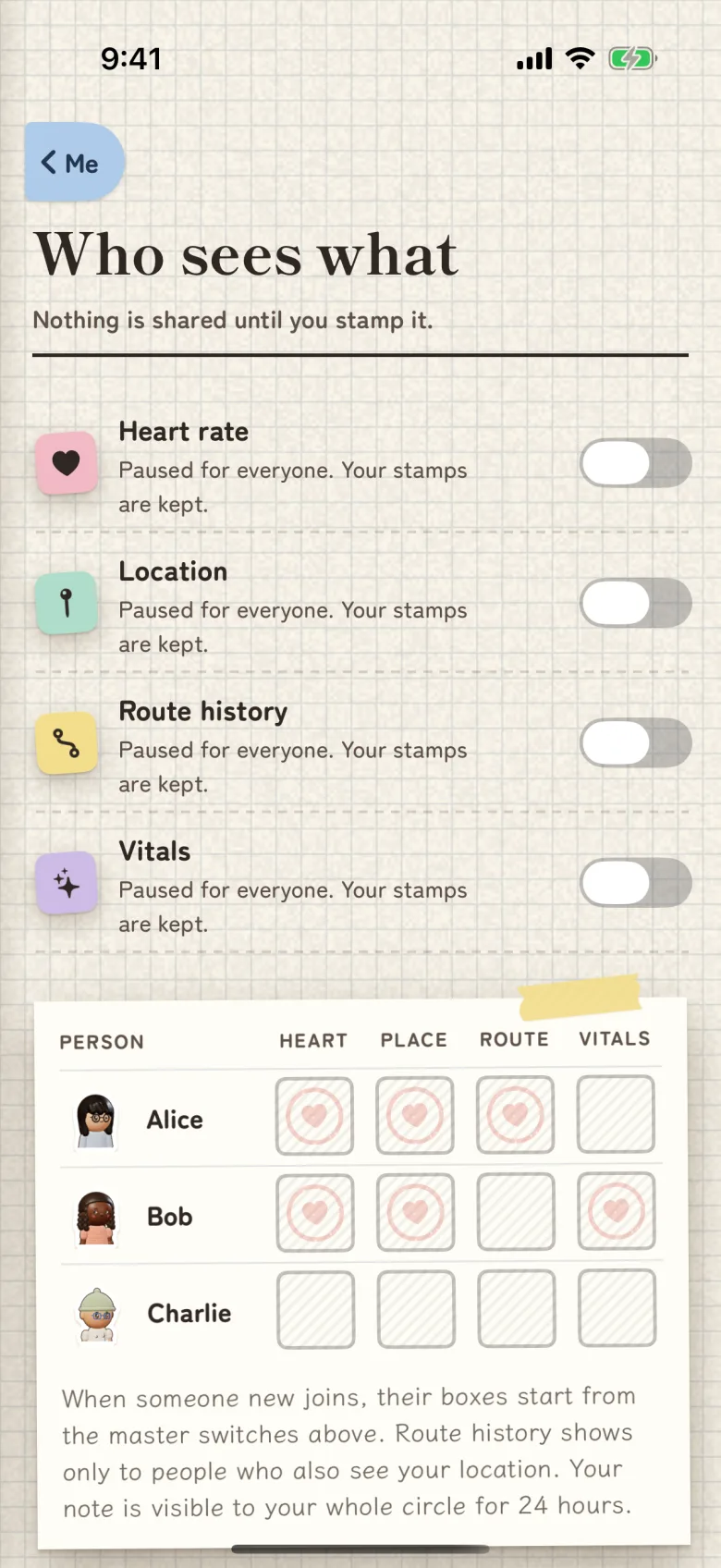
Open Who sees what to choose heart rate, location, route history and vitals separately. Sharing starts off. You can share location with one person and heart-rate readings with another.
How heart-rate readings update
Apple Health on iPhone and Health Connect on Android provide available measurements with their original timestamps. Each reading shows when it was measured.
On Apple Watch, open HeartRay and choose Enable readings. While the watch interface is active, it checks existing measurements and sends them to your paired iPhone. Refresh checks for an available reading; Apple controls when a new measurement is taken.
On a compatible Wear OS watch, start a heart-rate sharing session and stop it when you finish. Your Android phone remains the place to manage which friends receive your readings.
For iPhone location updates while HeartRay is closed, choose Always in the phone's location permission settings. Your friend appears in Little World when they share their location with you.
03 · Keep in touch
Send a hello from their page.
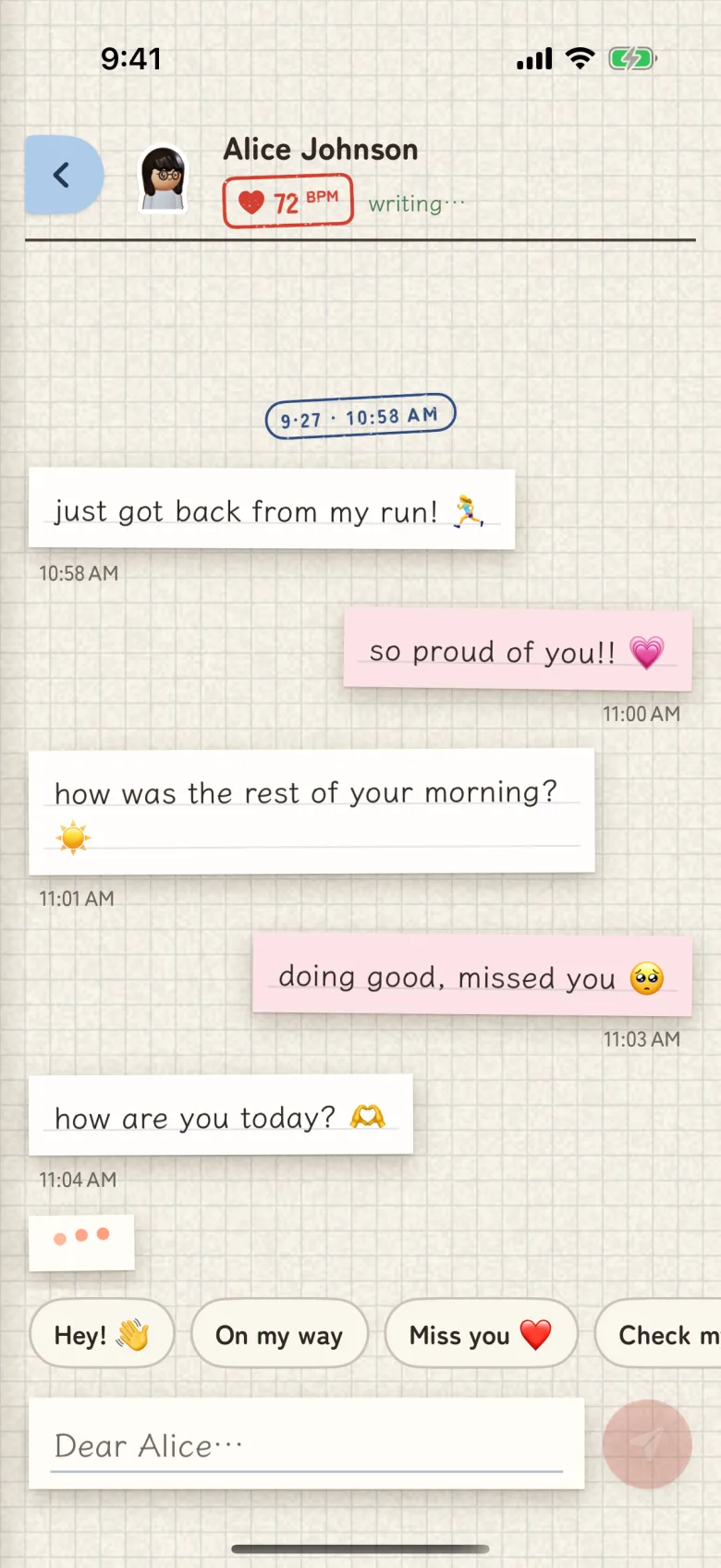
Press and hold to send a stamp such as Wave, Send love or Thinking of you. For a longer message, write a letter. Post keeps letters, stamps and notices together, and letters include read receipts.
You can also set a place alert for an arrival or departure, or a heart alert for a reading outside the levels you choose. Those alerts depend on available readings and updates. HeartRay is not a medical device or an emergency service.